Wednesday, July 3, 2019

Setting up recording cameras for lessons, 3 July, 2019

auto configure will look for cameras that are already attached. 
right click on desktop and go to NVIDIA control panel and choose set up multiple display
Use left computer screen for private stuff (not for students) second screen for students to see.
OBS studio is the software that records everything


Choose display capture
clone right hand example screen to the camera and front screen
Settings: so things are saving correctly
Make screen bigger and smaller with ctrl + and ctrl -   !!!!
Recording settings on high and mp4
use general and output settings over anything else
QMS- quality management system
SIMS to update attendance from now on
meet Rachel after 3 Friday to set up BSA124 stop motion animation


Saturday, June 8, 2019

Back in the Saddle! Animation workshop with Rachel Mann 8 June, 2019

Learning more about how to animate with After Effects today.
Rachel has set up a file using elements from this summer's Preserver video game for us to practice on.
This afternoon, we will animate our own original scene.  This is a great chance for me to get back into working on Girl and the Imagination Warehouse.
After Effects shortcuts to get to movement animation controls under each layer:
U open and close, P: Position, T: opacity, S: scale, R: rotation

girl spinning with camera POV reference video
https://www.videoblocks.com/video/young-girl-spinning-around-in-parents-hands-kid-smiling-at-camera-hjqi1musipqyzaqf

The first time I did this, I had the opacity coming and going to transition the expressions.  This time, I'm just turning them off and on, or "snapping" them, to create the illusion of movement.  It's so great to have Girl moving again! I will have to record some audio so I can load it up and do the lip sync to the dialogue.

Sunday, November 4, 2018

Video games: 2D unity tutorials, 20 August, 2018

https://www.youtube.com/watch?v=on9nwbZngyw


Making videos broadcast safe, 12 October, 2018


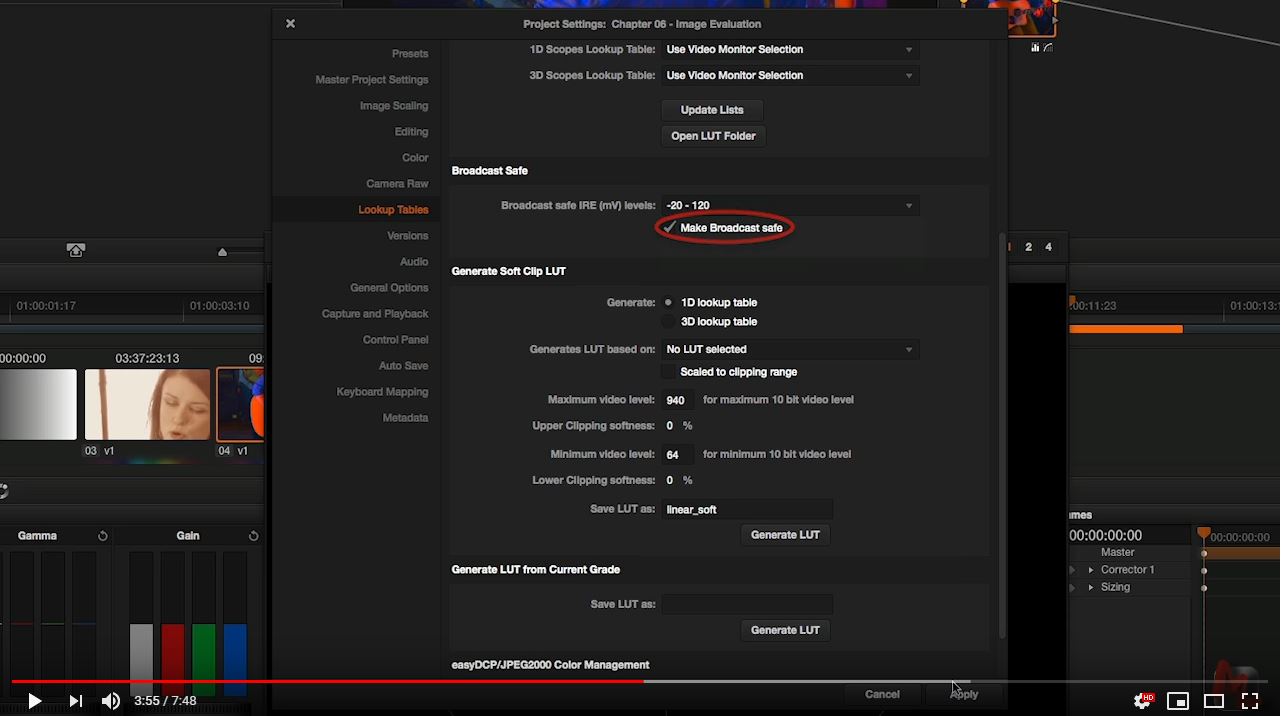
Davinci Resolve broadcast safe settings

PBS requires chrominance to under 120 IREs.  There is a broadcast safe setting in Resolve (see picture above) and you can choose the middle settings for safety.


Legal video in Premiere Pro
Legal audio in Premiere Pro (same as video clip above)
Loudness standards in adobe audition
Loudness standards in premiere pro
colour correcting in premiere pro

Editing ideas for Give Love, 30 October, 2018

https://vimeo.com/149874917

Split screen!  And Marvel's new Venom movie has them too, very exciting.

Split screen tutorial

2x 3x 4x split screen tutorial

Suzy Cato's shows, 4 November, 2018

You and Me: Plants Need Water
Suzy is like NZ's Mr. Rogers! 

Animation, puppets, a friendly adult who talks directly through the screen to the kids.

You and Me Intro
You and Me: Fish and Crabs
Doodlebug TV and Anna van Riel research:  what kind of a show do WE want to make?  Who's our audience?  Where and how do they find us?  How do we appeal to a wide range of ages (including parents and caregivers)?