Showing posts with label BMA142. Show all posts
Tuesday, June 16, 2015
BMA142: Magazine development, End page, Queen Stamp, 16 June
All the usual development issues (image, text, framing) applied. I'm very happy with how it looks. The blue border sets off the stamp, the red box sets off the blurb about the development of the magazine from the stamp development text. And the whole magazine feels FULL, complete and finished.
Except, I still can't figure out how to drop page numbers in there. Maybe tomorrow before class...
BMA142: Magazine development, Harmony movie poster spread, 16 June
I fixed the "breathing space" problems the text of the "Harmony" posters were having and I've been concentrating on creating an interesting text box. Inspired by a black and white fashion layout with Christy Turlington and a spiky black fur coat, I knew I wanted an ellipse. Mastering the ellipse in InDesign has been... challenging. First, a full oval with a weird skinny oval layer that would not go away. Second, half an elipse with text and the chest symbiont completing the ellipse. How clever! EXCEPT I could not figure out how to make half an ellipse in InDesign or how to cover up the half I didn't want or to make that band-aid solution disappear when I was ready for the symbiont. So I caved and went back to my first love, Photoshop. I was able to cut and paste the ellipse I had halved and filled with text into photoshop, then manipulated a symbiont. I dropped the whole file back into the right hand side of the spread. There's always a glitch, though, and there is this eternal skinny black bordered box around the whole thing when I save it in .swf AND no luck at dropping in a big W at the head of the paragraph for emphasis like I was able to on the other boxes of text. The final two "Harmony" posters appear in the next spread. I'm very pleased that I got the balance of black and white sorted out in their favour.
BMA142: Magazine development, "Kahlo-doscope" spread, 16 June
Getting pink boxes for my text wasn't hard on this spread. I was even able to use the colour pick tool to get a pink from both images that worked well. Why not? Why be so easy on this one, early on, then a massive pain in the butt for the Clouds, Get Out and Queen spreads? NO ONE WILL EVER KNOW WHY. Start early, and start often when using InDesign for the first time, kids. One of my classmates says that he's starting to put his images into InDesign tonight. HHAHHAHHAHHAHAHA!!! Go with God, my friend.
I do take notes in class, but some little picky thing gets missed and when I go back to it, no luck. The "placement text" has been a bright spot: I took all the right notes, I practiced it in class, it works when I need it to. It basically fills your nominated box with latin words so you remember to go back but can still get the look of a completed piece while you're waiting for the writer, in this case me, to make a commitment to words. I got the writing done, but I didn't like the white borders around everything. It looked... old fashioned. Or like a magazine for reading, not for images. I liked the layout from the Bio Shock 2 feature in the illustration magazine in the closet. (This image is in an earlier post of the blog.) Now on a roll with boxes of colour, I again picked a colour, dark red, from the Fridas, and put it in a box that I "sent back". If InDesign has a layer function, I haven't been able to find it or utilise it. More to learn, I suppose, always more to learn. Red and pink in combination has had a bad rap in fashion, but I like it. These are tied together by a hint of orange and are monochromatic. It is also in keeping with the vibrancy of Mexico house colours.
BMA142: Magazine development, Assignment 1 Travel Poster spread, 16 June
I wasn't happy with the results of the Travel Poster. I played with stickers again, but finally gave up and went back to the original layout of 3 graphic images filled with text. It's less cluttered, the text forms a diagonal that runs from the upper left to lower right hand corners, bang into the suitcase swinging from right to left, drawing the eye to the hair and back to the glasses and text. Though neither a perfect "Golden Triangle", a compositional form popular in the Renaissance, nor a strict strong diagonal, popular in the Baroque period according to Alvin Thompson, it creates a stronger image than the original. I also spent time painting the luggage and texturizing it in Photoshop to bring it into sync with the painting and patterning of the woman's hair.
The layout of the spread was changed from horizontal images and text to vertical rows to contrast with the layout of the preceding and subsequent pages. I wasn't happy with how much white was in the magazine as a whole and decided to save the pure black and white experience for the "Harmony" pages at the end. A red box was introduced to back up the text. I've been experimenting with "breathing space" around the text in each page and this one seemed to require being centered from the middle rather than the left to balance out.
BMA142: Magazine development, Clouds and Spheres, 16 June
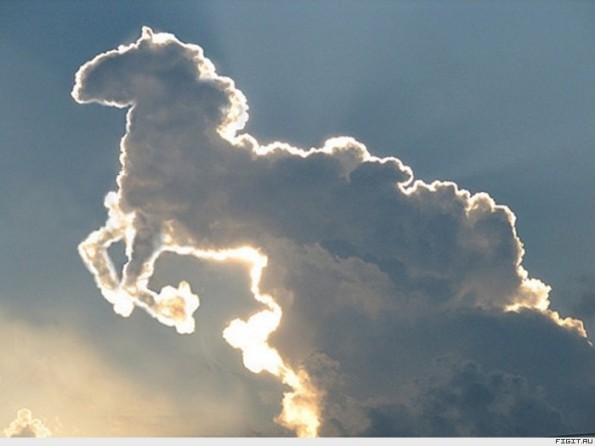
Clouds was an exercize from the beginning of the semester. It was a warm-up of sorts for the tablets and Adobe Photoshop. The earliest versions were a lumpy and ill-formed affair, so I went back to have another crack at it. I sharpened up the clouds to create a greater sense of depth by layering and sharply defining the shadows of some of the clouds. The western woman was completely replaced by a figure based on a photo I found on the internet. I was so pleased with the results, I considered creating a second figure silhouetted by clouds using the Adobe Illustrator software. Even after adjusting my expectations for mastering the program in the time available, I wasn't able to produce anything of merit and I had to withdraw from the battle. Another time, Adobe Illustrator! The program obviously will be very useful to me when I start making clip art again. With a space that needed to be filled, quickly, I returned to another warm up exercize, Spheres. I was pleased with having two large images filling the pages edge to edge and this inspired me to fill other pages, which I'll discuss in another post. The headache with this spread was getting a text box that was slightly paler than than the surrounding image to highlight the text. I've never tried to kid myself that I could work in InDesign for 6 hours a session and actually get anything done. I give it an hour, hour and a half tops, then move on to something else. So victories happen suddenly and without any explanation. I managed to get the frosted box look by creating a rectangle, filling it with white at 25% opacity, and then, miraculously, discovering where the "arrange>send back" command was hidden in the drop down menus.
BMA142: Magazine development, Front Cover, 16 June
Assignment 3 is to present the semester's work in the format of a magazine. Adobe In Design is the software and the biggest pain in the butt. Over the course of three weeks, I've managed to MOSTLY make it work for me, with some compromises in the interest of time and sanity.
Very few changes happened to the cover. Inspired by the "Art World"magazine cover, I knew that I wanted a close up of one of my favourite pieces, Frida in the "Four Corners" kaleidoscope. As the contents of the magazine shifted, or it became apparent I was NOT going to be able to master Adobe Illustrator to create a new clouds piece, the wording changed.
Friday, June 5, 2015
to do for BMA142 visual diary: cloud figure reference and precedence
research artists who have placed figures on landscape or cloud backgrounds. Make it clear in the writing portion that I did my thing first, then looked up the artists for precedence and relevance to what I was doing.
Cowboy silhouette Don Stevenson, photographer. Crisp silhouette backed up by pink, grey and purple clouds.
Wallpaper from Andy's room, "Toy Story"
cloud shapes The wallpaper makes me think about a kid dressed up as a cowboy backed by clouds shaped like hats, horses, cactus, etc.
That could be a good project to do in Adobe Illustrator for inclusion in my portfolio magazine.

Space Cowboy I love Jake Gumbleton's brushy paintwork, the classic cowboy silhouette and the bubble helmet.

Charles Marion Russell

Charles Courtney Curran
++The+Boulder+1919.jpg)
Elizabeth Shippen Green

Cowboy silhouette Don Stevenson, photographer. Crisp silhouette backed up by pink, grey and purple clouds.
Wallpaper from Andy's room, "Toy Story"
cloud shapes The wallpaper makes me think about a kid dressed up as a cowboy backed by clouds shaped like hats, horses, cactus, etc.
That could be a good project to do in Adobe Illustrator for inclusion in my portfolio magazine.

Space Cowboy I love Jake Gumbleton's brushy paintwork, the classic cowboy silhouette and the bubble helmet.
Charles Marion Russell
Charles Courtney Curran
++The+Boulder+1919.jpg)
Elizabeth Shippen Green
Monday, June 1, 2015
BMA142 Frida Kahlo-doscope #2, 1 June
I made my first Frida Kahlo-doscope a few months ago for our kaleidoscope project using the Corel Painter program. Excited by the possibilities of working with traditional media in a digital format, I started this one around the same time and decided to finish it up for inclusion in my magazine project. I created the 4-way Frida in Corel and created separate files for each of the corner characters which I added in Photoshop. I've always loved Frida because she is an unflinching self-portraitist and turned her personal struggles into beautiful imagery (Frida Kahlo biography).
I've chosen my favourite images from her life, culture and work for each of the corners. Te Amo (I love you) is a milagro, religious folk charms from Mexico. The silver charms each represent a body part or need that is prayed for. I bought a heart-shaped milagro wall hanging in Detroit's Mexico Town and the wall inspired my background colour choices.
Te Odio (I hate you) is muralist Diego Rivera, Frida's husband. They had a tumultous relationship and married for a second time before she died. biography Te Quiero (I want you) is one of the monkeys that feature in many of her paintings. Frida and her monkeys have also inspired the final image of my storyboard this semester in "Monkey Saves the Daypaint!" Te Necesito (I need you) is one of the babies that pop up in her work (Moses). She paints her broken body and heart organ but I already had the love heart milagro and I felt using the organ would be redundant. Birth, motherhood and babies appear thematically in her work so I chose the baby just about to be born to symbolize her creative process.
I've chosen my favourite images from her life, culture and work for each of the corners. Te Amo (I love you) is a milagro, religious folk charms from Mexico. The silver charms each represent a body part or need that is prayed for. I bought a heart-shaped milagro wall hanging in Detroit's Mexico Town and the wall inspired my background colour choices.
Te Odio (I hate you) is muralist Diego Rivera, Frida's husband. They had a tumultous relationship and married for a second time before she died. biography Te Quiero (I want you) is one of the monkeys that feature in many of her paintings. Frida and her monkeys have also inspired the final image of my storyboard this semester in "Monkey Saves the Daypaint!" Te Necesito (I need you) is one of the babies that pop up in her work (Moses). She paints her broken body and heart organ but I already had the love heart milagro and I felt using the organ would be redundant. Birth, motherhood and babies appear thematically in her work so I chose the baby just about to be born to symbolize her creative process.
BMA142, Digital Painting- Fluffy clouds part 2, 1 June
At the beginning of the semester, we played around with making clouds in photshop. My first attempt wasn't great, so I went back to it as part of the preparation for my magazine project. I re-consulted the cloud reference photo I took in February and I pulled up an image of a woman in 19th century western wear from the internet. Second cloud/western woman digital painting. Having a reference photo to consult makes all the difference!
Sunday, May 31, 2015
BMA142 Queen's Birthday Stamp Assignment, 30 May
This week's assignment was to commemorate Queen Elizabeth II's birthday with a stamp design.
My intention was to create a piece of art which embodies my ambivalence and dread surrounding the monarchy and being a subject of that system.
First, art process. A piece of United Kingdom flag clip art was run through an art filter in Corel Painter and inserted as a backdrop into the stamp template provided by tutor David Woolley. A series of images of QEII were then collaged together to create a grim, yet resplendent, Queen waving to the people. Next, a robotic prosthetic was created to replace the Queen's gloved hand by making a series of nuts, bolts and discs in Photoshop. The Queen's face was roughly painted over and run through the craquelure filter in Photoshop. The jacket and tiara layer was run through a glowing edge filter and the prosthetic was selectively "burnt" to blend the parts together. The "Gesture BRK" font in Photoshop was used to create the "LONG MAY SHE REIGN" because it resembles writing in medieval manuscripts (A History of Illuminated Manuscripts by Christopher De Hamel). See also
British Library collection of royal manuscripts
Second, thought process. I've been a subject of Queen Elizabeth II's since I took out New Zealand citizenship in 2013. This does not override the many years of being an American, a citizen of a country that mounted a revolution to sever ties with the monarchy, among other things. We're all about going your own way, being a rugged individual and letting the people choose their worthless celebrity sponges based on their latest movies or public stupidity rather than having them forced on you by tradition. I don't see the point, quite frankly, in being ruled by a woman who will probably never leave the United Kingdom again and whose relatives come out this way because we pay them to. Her own country, England, has been under Austerity for the last 5 years but I haven't heard if the Bedroom Tax has been levied against her family home or what, if anything, she has done to get the country through these hard economic times.
Still, what a lovely woman. The sense of duty and dignity which she brings to her role. The hats. Her face on all the money. She's on track to meet and exceed Queen Victoria's reign; she's been around Forever. Girl Power! How could I not love that? And what will happen when she dies and King Charles III ascends to the throne? I don't think I want to see his face on the money, be subjected to the barrage of bad tv movies about Diana, or hear his thoughts, no matter how well-reasoned or thoughtful they may be, on how the world should be run. So, let's keep her around, indefinitely. My stamp celebrates her Granite Jubilee, 90 years on the throne. And thanks to the robo-prosthetics and plasti-cized exterior, she should be around for many more decades to come.
Wednesday, May 27, 2015
BMA142 Mind Map plan for finishing Assignment 3 portfolio magazine, 27 May
Assignment 3 plan of attack with EDraw's Mind Map program. I used a template and filled in the information I'd written out last night. I'd like to try it again from scratch because I think the program allows you to drag and drop pictures onto the map. Rather than writing "Frida Kahlo-doscope", I'd rather have a picture as a reminder.
Update: here's a close up of the Mind Map with reminder pictures.
BMA142 Queen's Birthday stamp project, 27 May
Possible topics:
Corgi cake made with red velvet and Queen blowing out 89 candles
Long May She Reign: Cyborg QEII
Dance Party: QEII in Union Jack dress dancing with Buckingham Palace Guards
Morning After: QEII passed out in throne, crown askew, with bottle of beer and pile of guards at her side
Doctor Who: Queen goes on Birthday adventure through space and time with David Tennant as the Doctor.
Scotland: Queen with men in kilts. Still together, baby!
http://www.aceshowbiz.com/images/wennpic/queen-elizabeth-ii-visits-the-national-centre-04.jpg

http://www.flaginstitute.org/wp/wp-content/uploads/2012/10/UK-Union-Flag.png

http://assets-s3.usmagazine.com/uploads/assets/articles/58658-queen-elizabeth-ii-to-give-christmas-message-in-3d/1356021024_queen-elizabeth-lg.jpg
Pictures of the Queen and the British flag. I played with putting QEII into my place between the Scots in kilts wearing a Union Jack dress. But now I'm thinking about how much the Queen does NOT mean to me. She's a lovely figurehead for another country but even though I'm living in her domain and have become one of her subjects, she's not a "real" presence in my life. But what about when she goes? All the money will be changed and "King Charles III" will reign, whether people want him to or not. I've heard people say that they want William, that the crown should "skip a generation". That's not how it works, people! The succession has nothing to do with us; there will be no vote and our government will just kneel because, whee! it's SO exciting and historical. How can we keep QEII around for as long as possible? Now I'm starting to think about a cyborg Queen made out of metal.
Corgi cake made with red velvet and Queen blowing out 89 candles
Long May She Reign: Cyborg QEII
Dance Party: QEII in Union Jack dress dancing with Buckingham Palace Guards
Morning After: QEII passed out in throne, crown askew, with bottle of beer and pile of guards at her side
Doctor Who: Queen goes on Birthday adventure through space and time with David Tennant as the Doctor.
Scotland: Queen with men in kilts. Still together, baby!
The images above are from my personal photo collection. I can take myself out and substitute the Queen.
http://www.flaginstitute.org/wp/wp-content/uploads/2012/10/UK-Union-Flag.png
http://assets-s3.usmagazine.com/uploads/assets/articles/58658-queen-elizabeth-ii-to-give-christmas-message-in-3d/1356021024_queen-elizabeth-lg.jpg
Pictures of the Queen and the British flag. I played with putting QEII into my place between the Scots in kilts wearing a Union Jack dress. But now I'm thinking about how much the Queen does NOT mean to me. She's a lovely figurehead for another country but even though I'm living in her domain and have become one of her subjects, she's not a "real" presence in my life. But what about when she goes? All the money will be changed and "King Charles III" will reign, whether people want him to or not. I've heard people say that they want William, that the crown should "skip a generation". That's not how it works, people! The succession has nothing to do with us; there will be no vote and our government will just kneel because, whee! it's SO exciting and historical. How can we keep QEII around for as long as possible? Now I'm starting to think about a cyborg Queen made out of metal.
- Image URI: http://mrg.bz/nMMSoy
http://www.culturaltravelguide.com/wp-content/uploads/2012/05/the-diamonf-jubilee-queen-elizabeth-ii-prince-philip-02.jpg
Or covered in jewels and and waving at the peasant with her robotic prosthesis, a Terminator-like glint in her eyes.
http://www.forbes.com/sites/luisakroll/2011/04/22/just-how-rich-is-queen-elizabeth-and-her-family/
h
ttp://www.robotshop.com/media/files/images/mechate-robot-hand-6-large.jpg
I like to let the ideas fester, but we've only got two days of class to work on it and we're also being introduced to Adobe Illustrator in the midst of the assignment. Time to get to it.
ttp://www.robotshop.com/media/files/images/mechate-robot-hand-6-large.jpg
I like to let the ideas fester, but we've only got two days of class to work on it and we're also being introduced to Adobe Illustrator in the midst of the assignment. Time to get to it.
Thursday, May 21, 2015
Wednesday, May 20, 2015
BMA142, Magazine research, coloured ground layouts, 20 May
The whole illustration covers both pages with text placed over empty areas. The bulk of the text combined with the article title serves to frame the main action of the illustration.
Illustration for BioShock2 article by artist Jhonen Vasquez
BMA142, Magazine research, layout, 20 May

Side by side with this striking photograph of Christy Turlington for Harper's Bazaar Espana, the text becomes a figure in it's own right. A large "C" takes the place of a head and the body of the text mimics the curve of Turlington's fur as it flows from spine to waist.
A Brodovitch Legacy
The idea of seeing my name, Traci Meek, this big makes me uncomfortable, but I like the layout very much. I guess this is the way to go. I wish I had a better initial, then I could J.K. Rowling it.
T. M. Meek isn't cutting it, but T. Meek might.
42 Excellent Examples of Magazine Layout Design for Your Inspiration
I would never wear black and white, but I find it quite soothing to look at. The layout of the word Attitude makes it the title and the subject of the page, a force to be examined.
TRA
CI
ME
EK
French Vogue, April 2012
Karen Magazine
This layout is striking because black and ecru mirror each other in background and figure.
Thursday, May 14, 2015
BMA142, Cinemagraph: Miss Tristi and the Wonky Escalator, 14 May
I had no tripod and instead of staging shots where I could put the camera on a hard surface, I just winged it. Or might that be "wanged" it? "Wung"? Making a cinemagraph in Photoshop, a CURRENT Photoshop, is very easy. The video is imported and a handy box pops up to let you trim a longer clip to the right size. Each frame becomes a layer. After ticking the eye box on the first and last layer, highlight the final layer and hit Ctrl J to copy the last layer. On that layer, erase the parts that you want the action to run beneath. It's like making a window in a wall to see the traffic outside. Save for web and check out the preview. You'd think it would work, but you can't go back and remove frames from the beginning or end of the video once it goes into layers to smooth the action. It requires re-importing and trying to select smoother motion.
Model: Tristi Woerz. Costume: Traci Meek. Sets: National Gallery of Victoria.
BMA142: Magazine research, Assignment 3, 14 May
Art World cover. Keeping the title and contents at the top gives the detail of the artwork impact.
Cinefantastique magazine. The airbrushing and scattered text make this functional but uninspiring. I was already a fan, so I did not buy this magazine based on the cover. If it hadn't been a show I followed, I wouldn't have been interested in learning more.
Mad Magazine, of Star Trek: The Next Generation parody, character introduction layout. Black and white colour scheme and close to uniform text boxes keep these busy pages interesting without being overwhelming.
Classic Mad Magazine cover of a Star Trek movie parody. Another magazine I used to own.
Muppet Magazine. Another magazine I used to own, then I decided to stop being a hoarder! All recycled. RIP. A bold title, large picture, and single column of text leaves a strong impression. Plus, the little fold-up at the right hand corner previews what's inside and generates interest in turning the page.
http://www.yannlegendre.com/lofficiel-art-magazine/
One full-page illustration facing a large, graphic title and small block of text is striking.
Subscribe to:
Posts (Atom)